

Web app integrations are the process of linking separate business software applications so they share data automatically and trigger workflows without manual input. The industry term for this practice is application integration, and it covers everything from connecting a CRM like Salesforce to a payment processor like Stripe, to syncing your data warehouse with your reporting tools. Tools like Zapier, Workato, and custom-built APIs make this possible. The result is a connected software ecosystem where your business applications behave as one system rather than a collection of isolated tools.
How do web app integrations technically work in businesses?
Application integration connects separate software by establishing structured communication channels between them. Three core mechanisms do this work: APIs, webhooks, and middleware.
APIs (Application Programming Interfaces) operate on a request-response model. One application sends a request to another, asking for data or an action. The receiving app processes the request and sends back a response. When your e-commerce platform asks Stripe to charge a customer, that is an API call in action.

Webhooks flip this model. Instead of asking for data, one app pushes data to another the moment an event occurs. A new order placed on your site can instantly trigger a webhook that creates a record in your fulfillment system. Zapier defines webhooks as event-driven triggers that push data changes without waiting for a request.
Middleware and iPaaS platforms sit between your applications and act as translators and traffic controllers. Platforms like Zapier and Workato authenticate connections, map data fields from one format to another, and route information to the right destination. Middleware validates requests, maps fields, handles conditional routing, and connects legacy systems to modern cloud apps. This is what makes multi-step automation possible without writing custom code for every connection.
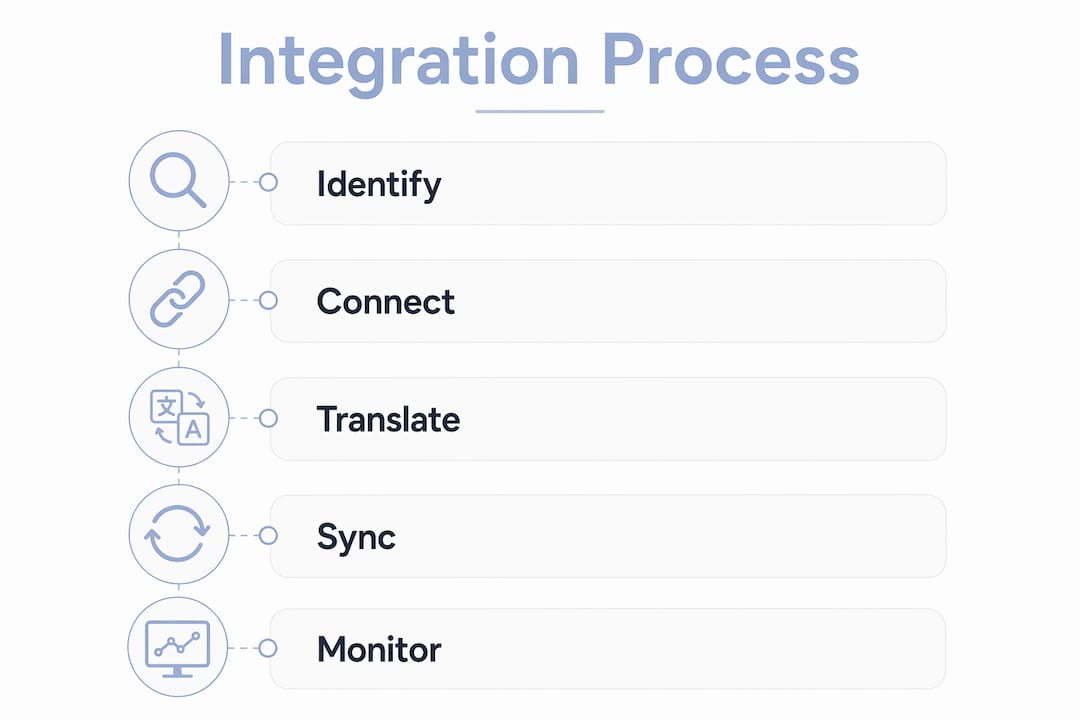
Two sync models exist: schedule-based and real-time. Schedule-based sync runs at set intervals, such as every hour, and works well for batch reporting. Real-time event sync fires the moment a trigger occurs and suits time-sensitive workflows like billing or inventory updates.
Pro Tip: Start with real-time webhooks for customer-facing workflows like order confirmations and payments. Use schedule-based sync for internal reporting where a one-hour delay causes no harm.
What reliability and security practices ensure solid web app integrations?
Building a connection between two apps is the easy part. Keeping that connection trustworthy under real business conditions is where most teams fall short.
-
Plan for at-least-once delivery. Webhook systems guarantee delivery by resending events if no acknowledgment is received. This means your endpoint may receive the same event twice. Webhook endpoints must be idempotent, meaning processing the same event twice produces the same result without duplicating actions like charging a customer or creating two orders.
-
Use idempotency keys and deduplication. Assign a unique ID to every event. When an event arrives, check whether that ID has already been processed. Store processed IDs in a bounded cache so your system can reject duplicates without growing indefinitely.
-
Verify webhook signatures. Every incoming webhook should be validated using HMAC-SHA256 signature verification. Stripe and Jsonic both recommend this as the standard method to confirm a payload came from a trusted source and was not tampered with in transit.
-
Implement retry logic with exponential backoff. When a delivery fails, the sending system should retry after progressively longer intervals: 1 minute, then 5 minutes, then 30 minutes. This prevents overwhelming a temporarily unavailable endpoint.
-
Set up dead letter queues. Dead letter queues preserve events that repeatedly fail processing. They allow your team to review and replay failed events manually, preventing silent data loss in critical systems like billing or order fulfillment.
Pro Tip: Treat your dead letter queue as a business-critical alert system. If events pile up there, something is broken in your integration. Review it daily, not weekly.
What are the key business benefits of implementing web app integrations?
Integrations reduce manual work, improve data quality, and let businesses add new tools without rebuilding their entire tech stack. These are not incremental gains. They compound over time.
- Fewer manual errors. When data moves automatically between systems, your team stops copying records from one spreadsheet into another. Human error drops sharply. A sales rep whose CRM updates automatically from your marketing platform spends time selling, not reconciling data.
- Better data consistency. The same customer record exists in your CRM, billing system, and support desk because integrations keep them in sync. Workato and Stripe both cite data consistency across apps as one of the primary measurable benefits of application integration.
- Faster business reporting. When your data warehouse pulls automatically from your CRM, payment processor, and marketing tools, your reports reflect reality in near real time. Finance teams stop waiting for manual exports.
- Faster sales outreach. A lead that fills out a form on your website can be automatically scored, assigned to a rep, and added to an email sequence within seconds. Without integration, that same process takes hours or days.
- Easier tool additions. Standardized integrations mean adding a new tool to your stack does not require rebuilding every existing connection. You connect the new tool to your middleware layer once, and it inherits the existing data flows.
“Integration success should be measured by operational improvements and data accuracy gains, not just the number of connected apps.” — Stripe
This distinction matters. Businesses that count integrations as a success metric end up with a tangled web of connections that nobody maintains. Businesses that measure hours saved and error rates reduced build systems that actually improve over time.
How do businesses implement and manage web app integrations practically?
Two main paths exist: custom-coded point-to-point integrations and middleware or iPaaS platforms. Each has a clear use case.
| Approach | Best for | Tradeoffs |
|---|---|---|
| Custom-coded (point-to-point) | Unique business logic, high-volume APIs | Full control, but high maintenance cost as connections multiply |
| Middleware / iPaaS (Zapier, Workato) | Standard workflows, fast deployment | Lower cost and faster setup, but less flexibility for complex transformations |
| Hybrid | Enterprises with legacy and cloud systems | Balances speed and control, requires governance planning |
Schema mapping and transformation are consistently the most complex parts of any integration project. Two apps rarely use the same field names, data formats, or ID structures. A customer ID in your CRM may be a string, while your billing system expects an integer. Mapping these fields correctly requires careful validation and testing before going live.
Governance defines who owns each data source and how conflicts get resolved when two systems disagree. Without governance, an integration that updates a customer record in two places simultaneously can create conflicting versions of the truth. Workato recommends designating a single source of truth for each data type before building any integration.
Legacy systems present a specific challenge. Many businesses run on-premises software that predates modern APIs. Middleware platforms bridge legacy and cloud systems by translating older data formats into modern standards, making it possible to connect a 10-year-old ERP to a current cloud CRM without replacing either.
Monitoring matters as much as building. An integration that worked perfectly at launch can break silently when one app updates its API schema. Set up alerts for failed events, monitor your dead letter queues, and schedule quarterly reviews of every active integration.
Key Takeaways
Web app integrations work best when businesses treat them as operational infrastructure, not one-time technical projects.
| Point | Details |
|---|---|
| APIs and webhooks power integrations | APIs use request-response; webhooks push data on events for real-time automation. |
| Reliability requires idempotency | Endpoints must handle duplicate events without creating duplicate business actions. |
| Middleware reduces complexity | Platforms like Zapier and Workato handle authentication, mapping, and routing without heavy coding. |
| Measure outcomes, not connections | Track hours saved and error reduction, not the number of apps connected. |
| Governance prevents data conflicts | Designate a single source of truth for each data type before building integrations. |
What managers get wrong about web app integrations
The biggest mistake I see business managers make is treating integration as a one-time technical task. They hire a developer, connect two apps, and consider it done. Six months later, one app updates its API, the integration breaks silently, and nobody notices until a customer complains about a missed order.
The second mistake is skipping governance. I have watched teams build 15 integrations across a CRM, billing platform, and support desk, only to discover that three systems hold conflicting customer records with no clear rule for which one wins. Defining data ownership before you build is not a technical detail. It is a business decision that determines whether your integrations help or hurt.
My honest recommendation: start with middleware platforms like Zapier or Workato for standard workflows. They get you to value faster than custom code, and they handle the operational complexity of retries and error routing out of the box. Reserve custom-coded integrations for workflows where you have genuinely unique business logic that no platform can handle. The hardest part of integration projects is always operational reliability and schema transformations, not the initial wiring. Plan for that from day one.
— Christopher
How Mediakliq builds web app integrations for growing businesses
Businesses that need reliable, well-architected integrations built from the ground up work with Mediakliq. The team at Mediakliq handles the full cycle: architecture, development, deployment, and ongoing maintenance.
Mediakliq’s web development services cover custom API development, webhook infrastructure, and middleware configuration for businesses that need integrations built to last. With over 75 completed projects and more than 100,000 project hours, Mediakliq brings the depth of experience needed to handle schema mapping, error handling, and governance planning correctly the first time. If your business runs on web applications for businesses and needs them to work together reliably, Mediakliq is worth a conversation.
FAQ
What is web app integration in simple terms?
Web app integration connects separate business software applications so they share data automatically without manual input. Tools like Zapier, Workato, and custom APIs make this possible.
What is the difference between an API and a webhook?
An API works on a request-response model where one app asks another for data. A webhook pushes data automatically when a specific event occurs, without waiting for a request.
How do businesses keep integrations secure?
Businesses secure integrations by verifying webhook signatures with HMAC-SHA256, using idempotency keys to prevent duplicate actions, and implementing retry logic with exponential backoff for failed deliveries.
What is a dead letter queue and why does it matter?
A dead letter queue stores events that repeatedly fail processing so teams can review and replay them manually. It prevents silent data loss in critical systems like billing or order fulfillment.
How should businesses measure integration success?
Integration success is measured by hours saved, reduction in data reconciliation time, and improved reporting accuracy, not by the number of apps connected.