

The Flutter app development workflow is the structured process developers and project managers use to design, build, test, and ship high-quality cross-platform mobile applications from a single codebase. A well-defined workflow reduces errors, shortens release cycles, and keeps teams aligned across every phase. The Flutter SDK, CI/CD pipelines, and design systems like Material and Cupertino are the core technical pillars that hold this process together. Teams that skip formal workflow planning consistently ship slower and debug longer. This guide covers every phase in sequence, from initial flutter project setup through post-release monitoring.
What are the essential prerequisites and tools for starting a Flutter app project?
Every Flutter project starts with the Flutter SDK, and the version you install matters more than most developers expect. Flutter 3.41, released february 11, 2026, introduced Impeller-by-default rendering and began decoupling the Material and Cupertino packages, which will produce smaller app binary sizes by late 2026. That means teams running older SDK versions are already shipping larger binaries than necessary. Staying current with the SDK is not optional maintenance. It directly affects performance and app store approval rates.
Project scaffolding begins with a single command. The flutter create command bootstraps mobile, web, and desktop targets simultaneously, generating a standard folder structure and a pubspec.yaml file for dependency management. This file is the single source of truth for every package your app depends on. Treat it with the same discipline you give your source code.
A well-organized folder structure separates concerns from day one:
lib/features/for feature-specific UI and logiclib/domain/for business entities and use caseslib/data/for repositories and API clientslib/core/for shared utilities, constants, and themestest/for all unit, widget, and integration tests
The right IDE accelerates every phase of the flutter development process. Visual Studio Code with the Flutter and Dart extensions gives developers hot reload, widget inspection, and integrated debugging. Android Studio provides deeper Android-specific tooling and a built-in emulator manager. Both are free and widely supported.
Pro Tip: Pin your Flutter SDK version in your CI environment using an .fvmrc file with Flutter Version Management (FVM). This prevents silent build failures caused by SDK drift between developer machines and your pipeline.
How to architect and structure Flutter applications efficiently?
Good architecture is the difference between a codebase that scales and one that collapses under its own weight after three sprints. The full Flutter workflow separates domain entity definitions, state management, API integration, and routing into distinct layers. Each layer has one job. When a bug appears, you know exactly which layer to check.

State management is the most debated topic in Flutter architecture, and Riverpod has emerged as the most maintainable choice for production apps. Riverpod enforces compile-time safety, avoids the context dependency problems of older approaches, and scales cleanly from simple counters to complex async data flows. Teams that adopt it early spend less time debugging state-related UI glitches later.
Routing deserves the same architectural attention as state. The go_router package handles deep linking, nested navigation, and redirect logic in a declarative style that integrates cleanly with Riverpod. Hardcoding navigation logic inside widgets creates tight coupling that makes testing painful. Centralizing routes in a single configuration file keeps navigation predictable and testable.
| Architecture layer | Responsibility | Key tools |
|---|---|---|
| Domain | Business entities, use cases | Plain Dart classes |
| Data | API calls, local storage, repositories | Dio, Hive, Isar |
| State | UI state, async data, user events | Riverpod |
| UI | Widgets, screens, navigation | Flutter widgets, go_router |
Offline caching belongs in the data layer, not scattered across widgets. Libraries like Hive and Isar provide fast local storage with minimal setup. A repository pattern sits between the data source and the state layer, deciding whether to fetch from the network or return cached data. This pattern also makes unit testing trivial because you can swap the real repository for a mock in seconds.
- Define domain entities before writing any UI code
- Use Riverpod providers to expose data to widgets without prop drilling
- Configure
go_routerwith named routes and typed parameters - Implement a repository interface for every external data source
- Cache API responses locally to support offline use cases
What are the key steps in testing, building, and releasing Flutter apps?
Testing is where most teams cut corners and pay for it in production. Widget testing with mocks and static analysis catches defects before manual QA even begins. This is not a nice-to-have. A widget test that runs in two seconds catches the same bug that a manual tester finds in twenty minutes. The math favors automation every time.
A practical test strategy for Flutter covers three levels:
- Unit tests verify individual functions, use cases, and repository logic in isolation using mock dependencies.
- Widget tests render specific widgets in a test environment and assert on their behavior, appearance, and interactions.
- Integration tests run the full app on a real device or emulator and simulate end-to-end user flows.
Static analysis runs alongside testing. The flutter analyze command checks for type errors, unused imports, and style violations before a single line reaches production. Pair it with a strict analysis_options.yaml configuration to enforce team-wide code standards automatically.
Building signed release binaries requires separate configurations for iOS and Android. For Android, you generate a keystore file and reference it in build.gradle using signing configs. For iOS, you configure provisioning profiles and certificates through Xcode or the Apple Developer portal. Both processes should be scripted, not manual. Manual signing steps are the most common cause of last-minute release failures.
Production mobile apps require three environments: development for active engineering, staging for production-like testing with real APIs, and production for live users with strict access controls. Each environment needs its own API base URL, feature flags, and logging configuration. Flutter’s --dart-define flag injects these values at build time without hardcoding them in source code.
A practical CI/CD setup automates dependency installation, clean multi-platform builds, test execution, artifact storage, version control, and internal distribution. GitHub Actions is the most common choice for Flutter teams because it integrates directly with the repository and supports both macOS and Linux runners. Tools like Fastlane handle the signing and distribution steps that CI platforms do not cover natively.
Pro Tip: Run flutter test --coverage in your CI pipeline and set a minimum coverage threshold. Failing the build when coverage drops below 70% forces the team to write tests alongside features, not after.
How to implement an effective app deployment workflow and post-release monitoring?
The app deployment workflow moves builds from source code to users’ devices through a chain of automated steps: build, sign, test, distribute, submit, and monitor. Each step should be triggered automatically by a Git tag or a merge to the main branch. Manual deployments introduce human error and slow down release cadence.
App store submission follows different rules for Apple and Google. The Apple App Store requires a binary upload through Xcode or Transporter, a completed App Store Connect listing, and review approval that typically takes one to three business days. Google Play accepts APK or AAB uploads through the Play Console and supports faster review cycles. Both platforms support staged rollouts, which release the update to a small percentage of users before a full rollout.
Staged rollouts and canary releases are the most underused tools in mobile deployment. A canary release sends the new build to 5% of users first. If crash rates stay flat and key metrics hold steady, the rollout expands automatically. This approach catches environment-specific bugs that testing never surfaces.
Post-release monitoring closes the loop on the entire mobile app lifecycle. Crash reporting tools like Firebase Crashlytics capture stack traces in real time. Performance monitoring tracks frame rates, network latency, and startup time across device segments. When a critical bug appears, a hotfix branch off the release tag lets you ship a patch without merging unfinished feature work.
- Set up crash reporting before the first production release, not after the first crash
- Monitor ANR (Application Not Responding) rates on Android separately from crash rates
- Define a rollback trigger threshold before each release, such as a 1% crash rate increase
- Use continuous delivery practices to keep the pipeline ready to ship at any time
- Document the hotfix process so any team member can execute it under pressure
Automated deploy workflows can incorporate version bumps, linting, testing, build automation, deployment commands, smoke tests, and rollback procedures. Rollback on mobile is harder than on the web because you cannot force users to update. A staged rollout with a defined rollback threshold is the closest equivalent to a server-side rollback.
Key Takeaways
A well-structured Flutter app development workflow, covering setup, architecture, testing, and deployment, is the single most reliable way to ship quality mobile apps on schedule.
| Point | Details |
|---|---|
| Start with SDK discipline | Pin your Flutter SDK version across all environments to prevent silent build failures. |
| Architect in layers | Separate domain, data, state, and UI layers from the start to keep the codebase maintainable. |
| Test at every level | Combine unit, widget, and integration tests with static analysis to catch defects before QA. |
| Automate the pipeline | Use CI/CD with GitHub Actions and Fastlane to eliminate manual build and signing errors. |
| Monitor after release | Set up crash reporting and staged rollouts before going live, not after the first incident. |
What I’ve learned from shipping Flutter apps under real deadlines
The part of the Flutter workflow that teams consistently underinvest in is the environment configuration step. Every project I’ve seen skip a proper staging environment has paid for it with a production incident that could have been caught in 20 minutes of staging testing. The fix is not complicated. It’s just disciplined.
Architecture decisions made in week one follow you for the life of the project. I’ve watched teams pick a state management approach based on a YouTube tutorial and spend months refactoring it out. Riverpod is not perfect, but it is the most honest about its constraints. It forces you to think about data flow before you write UI code, which is exactly the right order.
The other thing I’d push back on is the idea that CI/CD is only for large teams. A solo developer shipping a Flutter app to both stores benefits just as much from an automated pipeline. The time you spend setting up GitHub Actions in week one comes back to you every single release cycle. I’ve seen cross-platform mobile frameworks come and go, and the teams that ship consistently are the ones with boring, reliable pipelines, not the ones with the most sophisticated architecture.
The most underrated mobile app development best practice is writing the rollback plan before the release, not during the incident. When a crash rate spikes at 2 AM, you do not want to be making decisions. You want to be executing a plan you already wrote.
— Christopher
Mediakliq’s approach to Flutter app delivery
Teams that want to move faster without accumulating technical debt need more than a checklist. Mediakliq brings over 100,000 project hours of experience across Flutter, React, and Laravel to every engagement, covering the full lifecycle from architecture design through production monitoring.

Mediakliq’s cross-platform app development practice includes CI/CD pipeline setup, environment configuration, and post-release monitoring as standard deliverables, not add-ons. Whether you need a greenfield Flutter build or a workflow audit on an existing project, the team at Mediakliq has the depth to execute it. With over 75 completed projects, the track record speaks for itself.
FAQ
What is the Flutter app development workflow?
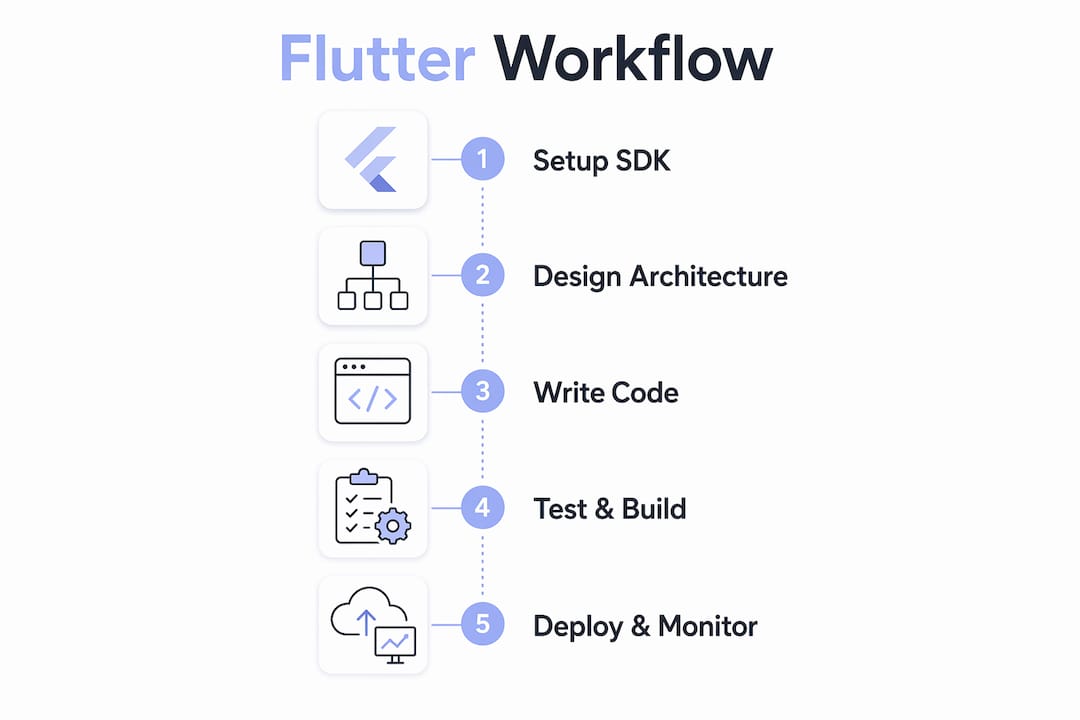
The Flutter app development workflow is the end-to-end process of setting up the Flutter SDK, architecting the app, writing and testing code, building signed binaries, and deploying through CI/CD pipelines to app stores. Each phase feeds directly into the next, reducing errors and release time.
What tools are best for Flutter CI/CD pipelines?
GitHub Actions handles build automation and test execution, while Fastlane manages signing and app store distribution for both iOS and Android. Together, they cover the full CI/CD pipeline from code commit to store submission.
How many environments does a Flutter app need?
Production Flutter apps require three environments: development, staging, and production. Flutter’s --dart-define flag injects environment-specific values at build time without hardcoding them in source code.
What state management approach works best for Flutter?
Riverpod is the most maintainable state management solution for production Flutter apps. It enforces compile-time safety and scales cleanly from simple UI state to complex async data flows without context dependency issues.
How do staged rollouts work for Flutter apps?
A staged rollout releases a new build to a small percentage of users first, typically 5–10%, before expanding to the full user base. Both the Apple App Store and Google Play support this feature, and it catches environment-specific bugs that pre-release testing misses.