

A web app deployment pipeline is an automated sequence of stages that moves code from a developer’s commit through build, test, and packaging steps into a live production environment. The industry standard term for this is a CI/CD pipeline, and understanding what is web app deployment pipeline design means understanding how modern teams ship software without manual intervention. Tools like GitHub Actions, Vercel, and Netlify have made automated deployments accessible to teams of every size. A well-designed pipeline is the difference between a team that ships confidently every day and one that treats every release as a high-risk event.
What is a web app deployment pipeline and its core stages?
A deployment pipeline automates the build, test, package, and deploy sequence so that every code change follows the same verified path to production. Each stage acts as a quality gate. Code that fails a gate stops there and never reaches users.
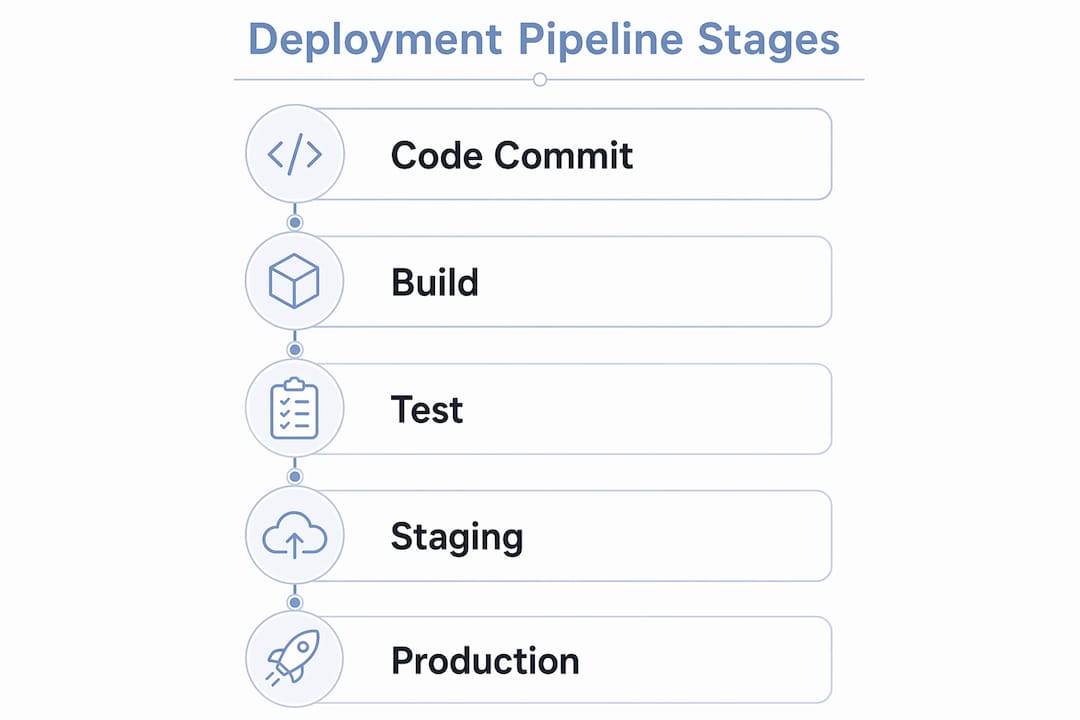
The typical stages in a web application release pipeline are:
- Code commit and source control trigger: A push to a branch in GitHub or GitLab fires the pipeline automatically.
- Build: The application compiles or bundles. For React apps this means running
npm run build; for Laravel it means Composer installs and asset compilation. - Static analysis and linting: Tools like ESLint or SonarQube scan for code quality issues before any tests run.
- Automated testing: Unit tests run first, then integration tests, then end-to-end tests using tools like Jest, Cypress, or Playwright.
- Artifact creation: The tested build is packaged into a deployable artifact, often a Docker image or a compressed archive.
- Staging deployment: The artifact deploys to a staging environment that mirrors production as closely as possible.
- Production deployment: After approval gates pass, the artifact promotes to production.
Pipeline configurations stored as YAML inside the repository allow every change to the delivery process to go through a pull request and peer review. This practice, called pipeline as code, makes your deployment process as auditable as your application code.
Pro Tip: Store all environment-specific variables in a secrets manager like AWS Secrets Manager or HashiCorp Vault. Never hardcode credentials in your YAML pipeline files, even in private repositories.
How does CI/CD fit into the web app deployment process?
Continuous integration (CI) and continuous deployment (CD) are the two engines that power a modern web app deployment pipeline. They are related but distinct.

CI automates code build and testing on every commit. Every developer push triggers a build and a full test run. The goal is to catch integration failures within minutes, not days. CD takes the verified artifact from CI and automatically pushes it toward production, either to a staging environment (continuous delivery) or all the way to live users (continuous deployment).
The practical benefits for tech teams are significant:
- Speed: Automated pipelines eliminate the manual steps that slow down releases. Platforms like Vercel can deploy a simple app in as little as 3 minutes.
- Consistency: Every deployment follows the same steps. Human error from manual deployments disappears.
- Reduced risk: Smaller, more frequent releases are easier to debug and roll back than large quarterly releases.
- Audit trail: Every deployment is logged with the commit hash, the triggering developer, and the test results.
Common CI/CD tools for web apps include GitHub Actions, Jenkins, Azure Pipelines, and GitLab CI. GitHub Actions is the default choice for most teams already hosting code on GitHub because it requires zero additional infrastructure. Jenkins remains the choice for teams needing maximum customization and self-hosted control. For teams exploring continuous delivery concepts beyond web apps, the same pipeline principles apply across platforms.
Successful teams tailor their pipelines with automated gates like security scans or manual approvals to match their delivery velocity and risk tolerance. A startup shipping a marketing site has different gate requirements than a fintech team deploying a payment API.
Managed platforms vs. self-hosted pipelines: which fits your team?
The architecture of your deployment pipeline depends on your team’s tolerance for infrastructure complexity versus the need for fine-grained control. Three broad categories cover most web app scenarios.
| Platform type | Examples | Automation level | Best for |
|---|---|---|---|
| Managed PaaS | Vercel, Netlify | Fully automatic | Frontend, JAMstack, Next.js apps |
| Self-hosted CI/CD | Jenkins, GitLab CI | Highly configurable | Enterprise, regulated industries |
| Cloud-native pipelines | Azure Pipelines, AWS CodePipeline | Semi-managed | Teams already on a cloud provider |
| Container-based | Docker + Kubernetes + ArgoCD | Full control | Microservices, multi-region apps |
Managed platforms like Vercel and Netlify handle SSL certificates, CDN distribution, and automated deployments by connecting directly to a GitHub repository. This removes the need for any manual server management. For most frontend and full-stack JavaScript teams, this is the fastest path to a working pipeline.
Self-hosted pipelines using Jenkins or Azure DevOps give teams complete control over every stage. That control comes at a cost: someone on your team owns the infrastructure, the upgrades, and the debugging when the pipeline itself breaks. Container-based pipelines using Docker and Kubernetes add portability. A Docker image built in the pipeline runs identically in staging and production, which eliminates the environment mismatch problem that causes most deployment failures.
Pro Tip: If your team spends more than two hours per week maintaining pipeline infrastructure rather than shipping features, evaluate whether a managed platform covers your use case. Many teams over-engineer pipelines for apps that Vercel or Netlify handle in minutes.
Many new developers waste time configuring a VPS when managed platforms enable deployment in minutes with zero manual infrastructure setup. Choosing the right architecture early saves weeks of operational overhead. For teams evaluating their web app technology stack, the deployment pipeline architecture should be a first-class consideration, not an afterthought.
Best practices and common pitfalls in pipeline design
A deployment pipeline is only as reliable as its weakest stage. Automated testing and validation checks prevent unstable code from reaching users. Skipping or weakening test gates to speed up deployments is the most common mistake teams make, and it always costs more time in production incidents than it saves in pipeline minutes.
The most impactful best practices for web app pipeline design are:
- Use blue-green or canary deployments for production releases. Blue-green deployments and staged rollouts route traffic gradually to new versions and allow fast rollback if error rates spike. This protects users without requiring a full deployment freeze.
- Treat pipeline configuration as code. Store your GitHub Actions YAML or Jenkinsfile in the repository. Changes to the pipeline go through pull requests, not direct edits on a CI server.
- Standardize environments with containers. Most deployment failures trace back to environment issues like missing API keys or database schema drift, not the deployment tooling itself. Docker containers eliminate the “works on my machine” class of failures.
- Integrate monitoring at the deployment stage. Tools like Datadog, Sentry, or New Relic should receive a deployment marker every time a release goes out. This makes correlating error spikes with specific releases immediate.
- Automate rollbacks. Define a health check endpoint and configure your pipeline to roll back automatically if the health check fails after deployment.
Speed is not the only goal of a deployment pipeline. Predictability and safety through staged rollouts and automated rollbacks are equally critical. A pipeline that deploys in 90 seconds but has no rollback mechanism is more dangerous than one that takes 10 minutes and reverts automatically on failure.
Pro Tip: Add a smoke test stage immediately after production deployment. A smoke test hits your app’s critical endpoints and fails the pipeline if any return errors. This catches deployment failures before users report them.
Key takeaways
A web app deployment pipeline is the automated system that makes software delivery fast, consistent, and safe by enforcing quality gates at every stage from commit to production.
| Point | Details |
|---|---|
| Pipeline stages are sequential gates | Each stage from build to production must pass before the next runs, preventing broken code from advancing. |
| CI/CD tools vary by team needs | GitHub Actions suits most teams; Jenkins and Azure Pipelines fit enterprise or regulated environments. |
| Managed platforms reduce overhead | Vercel and Netlify automate SSL, CDN, and deploys, making them the fastest option for frontend teams. |
| Environment mismatches cause most failures | Use Docker containers and a secrets manager to standardize environments across all pipeline stages. |
| Safety matters as much as speed | Blue-green deployments and automated rollbacks protect users during releases without slowing delivery. |
The part most pipeline guides skip
I have reviewed and rebuilt deployment pipelines for teams across industries, and the pattern I see most often is not a tooling problem. It is a philosophy problem. Teams treat the pipeline as a one-time setup task rather than a living system that needs the same care as the application it ships.
The teams that ship most reliably are not the ones with the most sophisticated pipelines. They are the ones that keep their pipelines simple, well-documented, and continuously improved through small iterations. I have seen teams spend three weeks building a multi-environment Kubernetes pipeline for an app that Netlify would have deployed in 15 minutes. That is not engineering rigor. That is complexity for its own sake.
The other trap I see regularly is under-testing in exchange for pipeline speed. Removing the end-to-end test suite to shave four minutes off a pipeline run feels like a win until a broken checkout flow reaches production on a Friday afternoon. The test suite is not the bottleneck. The bottleneck is usually the build step, and that is where parallelization and caching pay off.
My honest advice: start with the simplest pipeline that gets your code to production safely. Add complexity only when a specific, documented problem demands it. Treat every pipeline change as a pull request. And never, under any circumstances, skip the rollback mechanism.
— Christopher
How Mediakliq approaches web app deployment pipeline design

Mediakliq builds high-performance web applications with deployment pipelines designed from day one, not bolted on after launch. With over 75 completed projects and more than 100,000 project hours, the team has built and maintained pipelines across React, Laravel, and Flutter stacks for clients who need reliable, repeatable releases. Mediakliq’s full lifecycle approach covers conceptualization through deployment and ongoing maintenance, so your pipeline evolves as your application scales. If your team needs a production-grade web development partner who treats deployment as a core deliverable rather than an afterthought, Mediakliq is built for that work.
FAQ
What is a web app deployment pipeline in simple terms?
A web app deployment pipeline is an automated sequence of steps that takes code from a developer’s commit and moves it through build, test, and deployment stages until it reaches live users. Each step acts as a quality gate that stops broken code from advancing.
How does CI/CD differ from a deployment pipeline?
CI/CD describes the practice of continuous integration and continuous deployment. A deployment pipeline is the technical implementation of that practice, the actual configured stages and tools that execute the CI/CD workflow automatically.
What tools are used to build web app deployment pipelines?
Common tools include GitHub Actions, Jenkins, GitLab CI, and Azure Pipelines for pipeline orchestration. Vercel and Netlify provide fully managed pipelines for frontend and JAMstack applications with zero infrastructure configuration required.
Why do most deployment failures happen?
Most deployment failures trace back to environment mismatches like missing API keys or database schema drift, not the pipeline tooling itself. Standardizing environments with Docker containers and automated secrets management resolves the majority of these failures.
What is deployment automation and why does it matter?
Deployment automation is the practice of replacing manual release steps with scripted, pipeline-driven processes that run the same way every time. It matters because manual deployments introduce human error, slow release cycles, and make rollbacks difficult to execute quickly under pressure.