

Cross-platform app development is defined as building a single codebase that runs natively on iOS, Android, and other platforms simultaneously. This approach cuts development costs by 30–50% compared to maintaining separate native codebases. That cost reduction is not theoretical. It comes from shared logic, unified testing cycles, and one development team instead of two. Modern frameworks also deliver 95–99% of native performance for standard business and e-commerce apps, which closes the gap that once made native the only serious option. This cross-platform app development guide covers framework selection, architecture decisions, testing practices, and the pitfalls that trip up even experienced teams.
What is the right cross-platform framework for your project?
Framework selection depends on team skills, app complexity, and how much native integration your app requires. Getting this decision wrong costs weeks of refactoring. Getting it right means your team ships faster and maintains the codebase without constant firefighting.
Two broad categories define the current market. Widget-based frameworks render their own UI components entirely, giving you pixel-perfect consistency across platforms at the cost of some native feel. Native-controls frameworks map directly to each platform’s UI layer, producing interfaces that look and behave exactly as users expect on each device. Neither approach is universally better. The right choice depends on your product.
When evaluating any framework, weigh these factors:
- Team expertise. A team fluent in JavaScript ships faster with a JavaScript-based framework than one that requires learning Dart or Kotlin from scratch.
- Performance ceiling. Apps with heavy animations, real-time data, or complex graphics need a framework with a thin abstraction layer over native APIs.
- Native integration depth. If your app uses Bluetooth, biometrics, or custom hardware, check the framework’s native module support before committing.
- Ecosystem maturity. A framework with an active community, frequent releases, and strong documentation reduces your maintenance burden over time.
- UI philosophy. Decide early whether visual consistency across platforms or platform-native feel matters more to your users.
Mediakliq builds cross-platform apps using Flutter and React, both of which sit at opposite ends of this spectrum. Flutter uses its own rendering engine for consistency. React Native bridges to native controls for platform authenticity. Understanding types of cross-platform mobile frameworks before you commit saves significant rework later.
Pro Tip: Run a two-day technical spike with your actual team on your top two framework candidates before committing. Build the same screen in both. The friction you feel during the spike predicts the friction you will feel for the entire project.

How to architect your app for shared code and native feel
Good architecture is the difference between a cross-platform app that ages well and one that becomes a maintenance burden within a year. The core principle is simple: share business logic, adapt the UI layer. Execution is where most teams stumble.
Structure your codebase with this separation in mind from day one:
- Core logic layer. Place all business rules, data models, API calls, and state management here. This layer has zero platform-specific code. It is the part you write once and trust everywhere.
- Platform abstraction layer. Define interfaces here that the core layer calls. Each platform provides its own implementation. This is where file system access, push notifications, and camera integrations live.
- UI layer. Build platform-specific UI components here. Do not force a single UI across both platforms if it breaks native conventions. iOS users expect swipe-to-delete. Android users expect the back button to work predictably.
- Shared assets and configuration. Fonts, colors, and constants belong in a shared folder. Platform-specific assets go in platform folders.
Modular folder structures improve maintenance and feature scaling over time. A flat file structure that works fine at 20 screens becomes unmanageable at 80. Plan for growth from the start.
Ignoring platform-specific UI conventions creates what designers call the “uncanny valley” effect. The app looks almost right but feels wrong. Users notice this immediately, and it shows up in ratings. An Android navigation drawer that appears on iOS, or an iOS-style bottom sheet that appears on Android, signals to users that the app was not built for their platform.
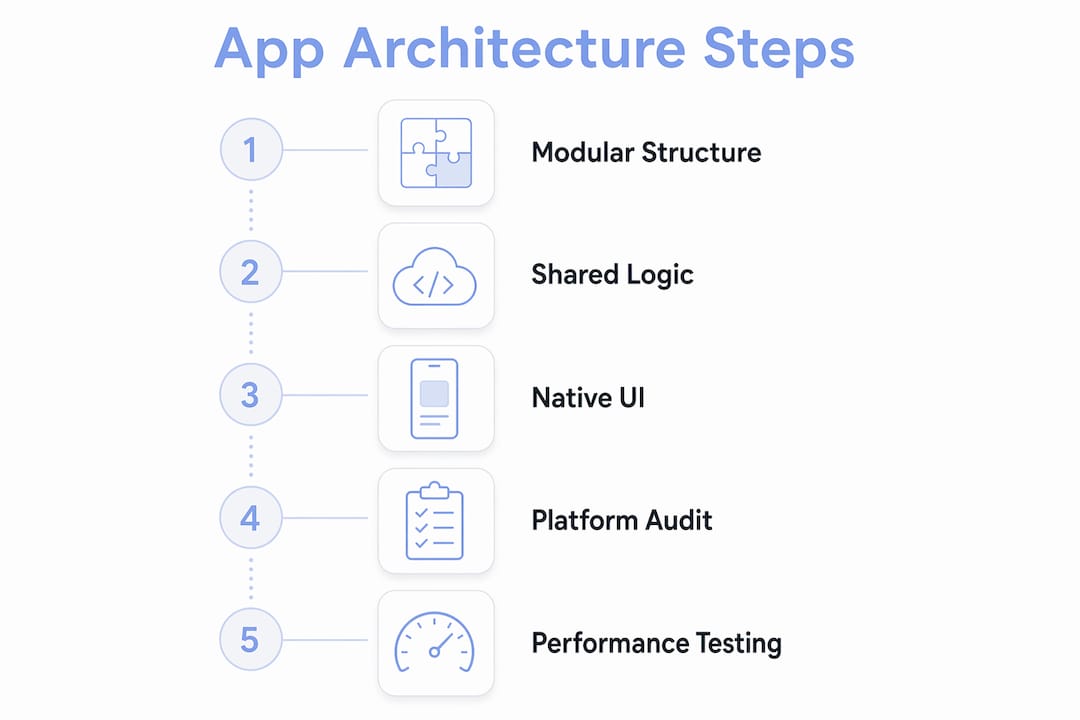
Understanding how cross-platform mobile apps work at the architecture level helps you make better decisions about where to share code and where to diverge.
Pro Tip: Audit your app on both platforms before every major release by handing it to someone who uses only that platform daily. They will catch UI inconsistencies in minutes that your cross-platform team has stopped noticing.
What are effective testing practices for cross-platform apps?
Testing a cross-platform app requires more discipline than testing a native app. You are validating one codebase against two different operating systems, multiple device sizes, and varying hardware capabilities. A bug that does not appear on a simulator can appear on a physical device running a specific OS version.
Physical device testing is mandatory for catching platform-specific bugs that emulators miss. Emulators do not replicate real memory pressure, battery states, or hardware-specific rendering. A test matrix covering at least three Android devices across different manufacturers and two iOS devices across different generations is the minimum for a production app.
“Effective state management and offline capabilities are critical for robustness in apps expected to work across variable network conditions.” This means your app must handle dropped connections gracefully, queue failed API calls, and sync data when connectivity returns.
Performance profiling belongs in every sprint, not just at the end of the project. Measure frame rates, memory usage, and startup time on the lowest-spec device in your target market. A feature that runs at 60 frames per second on a flagship phone may drop to 20 on a mid-range Android device. Catching this early is far cheaper than refactoring it after launch.
Security deserves the same early attention. Cross-platform apps often handle authentication tokens, user data, and API keys across both platforms. Use platform-native secure storage for sensitive data. Skopx provides security and compliance guidance for software projects that need to meet specific regulatory requirements. Do not store secrets in shared code that compiles into both platform builds without encryption.
Progressive Web Apps offer a complementary strategy worth considering. A PWA can extend your reach to users who will not install a native app, while your cross-platform mobile app serves users who want the full installed experience.
How to avoid the most common cross-platform pitfalls
Cross-platform development is a deliberate architectural choice, not a shortcut. Teams that treat it as a shortcut pay for that assumption in technical debt, poor performance, and frustrated users.
The table below maps the most common pitfalls to their practical solutions:
| Pitfall | Why it happens | How to address it |
|---|---|---|
| UI inconsistency across platforms | Forcing one UI design on both platforms | Build platform-specific UI components for key screens |
| Dependency rot | Libraries update independently and break each other | Schedule monthly dependency audits as a team ritual |
| Performance bottlenecks | Overusing bridge calls between shared and native layers | Profile early and minimize bridge crossings in hot paths |
| “Write once, forget” mentality | Assuming shared code needs no platform-specific attention | Assign platform owners who review each release on their device |
| Ecosystem lock-in | Choosing a framework with a small community | Evaluate GitHub activity, release cadence, and corporate backing |
Maintaining shared libraries across iOS and Android is an ongoing task, not a one-time event. A library that works perfectly today may introduce breaking changes in its next minor version. Teams that skip regular updates accumulate a backlog that eventually forces a painful migration.
Reviewing common mobile app development mistakes before you start a project is one of the highest-return activities available to any development team. Most pitfalls are well-documented and entirely avoidable with upfront planning.
Successful teams balance shared logic and native features to maximize both user experience and development efficiency. The teams that struggle are the ones that treat “cross-platform” as a binary decision rather than a spectrum of trade-offs to manage deliberately.
Key takeaways
Cross-platform app development delivers 30–50% cost savings and near-native performance only when teams apply disciplined architecture, platform-aware UI design, and proactive maintenance from the start.
| Point | Details |
|---|---|
| Cost and performance baseline | Cross-platform cuts costs by 30–50% and reaches 95–99% of native performance for most business apps. |
| Framework selection criteria | Match the framework to your team’s skills, app complexity, and native integration requirements before writing code. |
| Architecture separation | Share business logic across platforms but build platform-specific UI components to preserve native feel. |
| Physical device testing | Test on real devices across multiple manufacturers and OS versions to catch bugs emulators miss. |
| Ongoing maintenance | Schedule regular dependency audits and assign platform owners to prevent technical debt from accumulating. |
The uncomfortable truth about cross-platform development
I have reviewed dozens of cross-platform projects over the years, and the pattern that kills them is almost always the same. The team starts with genuine enthusiasm about writing code once and shipping everywhere. Then, six months in, they have a codebase full of platform-specific workarounds buried inside shared files, a UI that feels slightly wrong on both platforms, and a dependency tree nobody wants to touch.
The problem is not the framework. The problem is the mindset. Cross-platform development rewards teams that treat it with the same rigor they would apply to two separate native apps. That means dedicated platform testing, explicit ownership of platform-specific behavior, and a willingness to write platform-divergent code when the user experience demands it.
The teams I have seen succeed are the ones that resist the temptation to force uniformity. They share what should be shared, which is business logic, data models, and API integration. They diverge where divergence serves the user, which is navigation patterns, gestures, and platform-specific UI components. That discipline is not glamorous, but it is what separates apps with four-star ratings from apps with two-star ratings.
The frameworks available in 2026 are genuinely excellent. Flutter, React Native, and Kotlin Multiplatform have all matured to the point where the technology is rarely the limiting factor. The limiting factor is almost always the engineering discipline applied around the technology. Treat cross-platform development as a structured approach with real trade-offs to manage, and you will ship apps that users cannot tell apart from native ones.
— Christopher
Mediakliq’s cross-platform development services
Mediakliq has delivered over 75 completed projects and more than 100,000 project hours across Flutter, React, and Laravel. That track record covers the full lifecycle from architecture decisions through deployment and ongoing maintenance.

If you are building a cross-platform app and want a team that has already solved the problems described in this guide, Mediakliq’s cross-platform app services cover everything from framework selection to post-launch support. You can also review Mediakliq’s full service catalog to find the right engagement model for your project size and timeline. The team works with developers and entrepreneurs at every stage, from first prototype to production-scale builds.
FAQ
What is cross-platform app development?
Cross-platform app development is the practice of building a single codebase that runs on multiple operating systems, typically iOS and Android. It reduces development costs by 30–50% compared to maintaining separate native codebases.
How do I choose the right cross-platform framework?
Framework selection depends on your team’s existing skills, the app’s complexity, and how much native hardware integration you need. Evaluate performance ceilings, ecosystem maturity, and UI philosophy before committing.
Does cross-platform development hurt app performance?
Modern cross-platform frameworks achieve 95–99% of native performance for most standard business and e-commerce apps. Performance gaps appear mainly in graphics-heavy or hardware-intensive applications.
How should I test a cross-platform app?
Test on physical devices across multiple manufacturers and OS versions, not just emulators. Emulators miss hardware-specific rendering issues and real-world memory pressure that appear on actual devices.
How often should I update cross-platform dependencies?
Dependency maintenance is an ongoing task, not a one-time event. Schedule monthly audits to catch breaking changes before they accumulate into a migration that requires weeks of work.